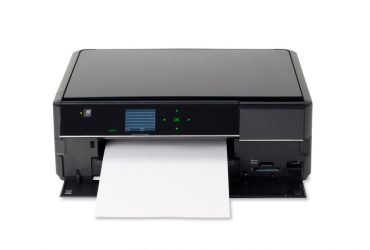
Today’s 220-1101 CompTIA A+ Pop Quiz: It’s not that kind of pad
Today’s 220-1101 CompTIA A+ Pop Quiz: It’s not that kind of pad Read More »
Today’s all-in-one multifunction devices can act as a printer, scanner, copier, and more. In this video, you’ll learn about setting up a multifunction device, configuring a printer language, setting individual print features, configuring badging and secure printing, and working with a flatbed scanner. << Previous: Computer Power Next Video: Laser Printer Maintenance >> Many organizations
Multifunction Devices – CompTIA A+ 220-1201 – 3.7 Read More »
Without power, our computers aren’t very useful. In this video, you’ll learn about computer power supplies, power specifications, redundant power supplies, and power supply efficiency ratings. << Previous: Cooling Next Video: Multifunction Devices >> Before we get into this presentation on power, I want to give you a very strong warning to always, always disconnect
One of the by-products of computing is the generation of heat. In this video, you’ll learn how we cool our computing systems using fans, passive cooling, heat sinks, thermal paste, thermal pads, and liquid cooling. << Previous: Expansion Cards Next Video: Computer Power >> All of the technology inside of our computers creates heat, and
Our computers are designed for expandability through the use of expansion cards. In this video, you’ll learn about sound cards, video adapters, capture cards, network interface cards, and best practices for installing new drivers. << Previous: CPU Features Next Video: Cooling >> Our modern computers are designed to be modular. We have ways to extend
Our modern CPUs include a number of valuable features. In this video, you’ll learn about the differences between 32-bit and 64-bit processors, the advantages associated with ARM processors, and how CPU cores can be a useful measurement of processing power. << Previous: HSM and TPM Next Video: Expansion Cards >> If you look at the
The trusted platform module (TPM) is an important security feature on today’s motherboards. In this video, you’ll learn about the technologies and use cases of TPMs and hardware security modules (HSMs). << Previous: BIOS Settings Next Video: CPU Features >> A lot of what we do in technology has to do with secrets. We have
The BIOS configuration options provide extensive customization. In this video, you’ll learn about boot options, USB permissions, << Previous: The BIOS Next Video: HSM and TPM >> During this video, we’re going to look at a number of different settings inside of our system BIOS. If you’d like to look at your own BIOS, you