RSSAll Entries Tagged With: "troubleshooting"

Windows 7 Control Panel Options – CompTIA A+ 220-802: 1.5

Windows 7 Control Panel Options – CompTIA A+ 220-802: 1.5

Windows 7 includes some unique Control Panel opens not found in Windows XP or Windows Vista. In this video, you’ll learn about Windows Homegroup, Action Center, RemoteApp, and Troubleshooting.

Drop and go

Drop and go

One of your customers has dropped off their laptop at your repair desk. A message taped to the laptop states: “Doesn’t work.” Which of these would be the best next step?

CompTIA A+ 220-701: 2.2 – Documentation and Resources

CompTIA A+ 220-701: 2.2 – Documentation and Resources

When problems occur, you’ll want to have as many resources as possible at your disposal. In this video, we’ll discuss some of the best sources of documentation to use when troubleshooting.

What does this Device Manager icon mean?

What does this Device Manager icon mean?

During the process of troubleshooting a printer problem, you notice that the printer port’s icon inside of Device Manager has a red “X” on the icon. What does this red “X” signify?

Where’s my memory?

Where’s my memory?

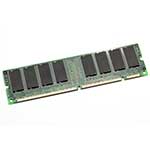
You’ve recently upgraded the RAM modules in a personal computer by adding an additional 1 GB stick of memory to increase the amount of available memory from 1 GB to 2 GB. However, when rebooting the system you find that the computer will only recognize the original 1 GB of memory. What might be a cause of this problem? Pick the two best answers.

What software tool can help with diagnostics and troubleshooting?

What software tool can help with diagnostics and troubleshooting?

What kind of software tool boots to a standalone operating system and is usually focused around providing specific functionality such as diagnostics or troubleshooting?

CompTIA Network+ N10-004: 4.6 – Network Troubleshooting Methodologies

CompTIA Network+ N10-004: 4.6 – Network Troubleshooting Methodologies

When a crisis is underway, it can be difficult to follow a logical path to help resolve the problem. In this video, you’ll learn how a detailed methodology can help you through each phase of the troubleshooting process from gathering of information through the resolution and documentation.

Why is your operating system not found?

Why is your operating system not found?

You recently upgraded the memory in your desktop computer by adding a new memory module for a total of 2GB of RAM. When you power on the computer, the correct amount of memory displays in the BIOS POST, but instead of a Windows the message “Operating System not found” is displayed. What is the most likely reason for this error?

What’s your next step?

What’s your next step?

An office computer has been having a problem where three or four times a day the system freezes while sitting idle, requiring a reboot each time. You believe the problem may be related to the memory, so you replace all of the system RAM with new memory modules. What’s your next step?

Troubleshooting garbled printouts

Troubleshooting garbled printouts

A customer has called you with a printer problem where the printouts are completely garbled. Instead of a text document from a word processor, the page is filled with random characters, lines, and block graphics. What’s the best next step to help troubleshoot the problem?